
Epson PictureMate Inkjet Cartridges & Supplies
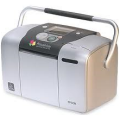
Ink Cartridges for the Epson PictureMate
-
 T5570Remanufactured Epson T5570 Photo Color Ink Cartridge for the PictureMateColorPage Yield100 Pages*Reg. Price $23.99 Our Price $17.99As low as $14.00
- Buy 3 or more: $17.00 each
- Buy 5 or more: $14.00 each
BackorderedNotify me when product is in stock:
-
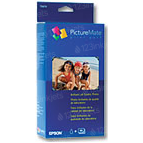 OEMT5570
Many consumers are worried if the use of compatible or aftermarket printing supplies will void their printer's warranty. The answer is no.
More simply put, this means that your printer warranty cannot be voided just because you choose to use compatible products unless the manufacturer can prove that the compatible product caused direct damage to your printer. In cases such as this, the manufacturer may choose not to repair your printer but your warranty would remain in effect for all other warranty issues.
For more information see:
MAGNUSON-MOSS WARRANTY
IMPROVEMENT ACT
United States Code Annotated
Chapter 50 Consumer Product Warranties
15 Section 2302 Section C
FAQ for Canon Epson PictureMate Printer

Reliability for a Lifetime
Our 100% satisfaction guarantee means you can shop with peace of mind. Our cartridges have been tested and monitored for performance quality and page yield. In the event that you are dissatisfied with your purchase, we will do our best to make it right. All of our LD-brand compatible ink and toner products are backed by a lifetime guarantee.